
Start from a template
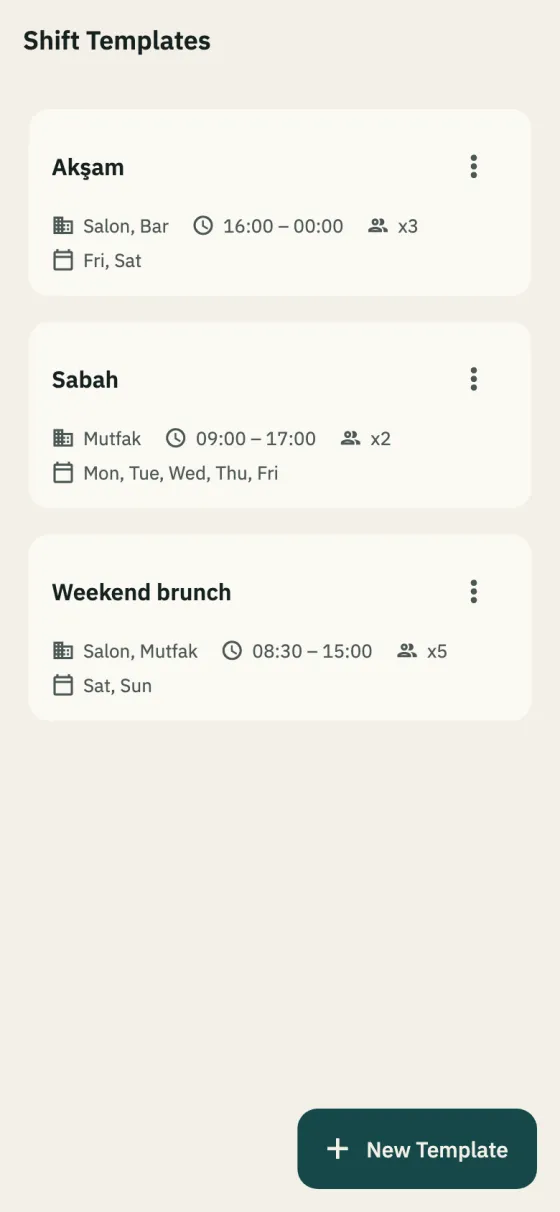
A template is the week’s recurring need: which department, what times, which days, how many people. Apply it to a week and its unassigned shifts appear; copying last week is one tap too.
In the app: Business → Templates
Shift scheduling
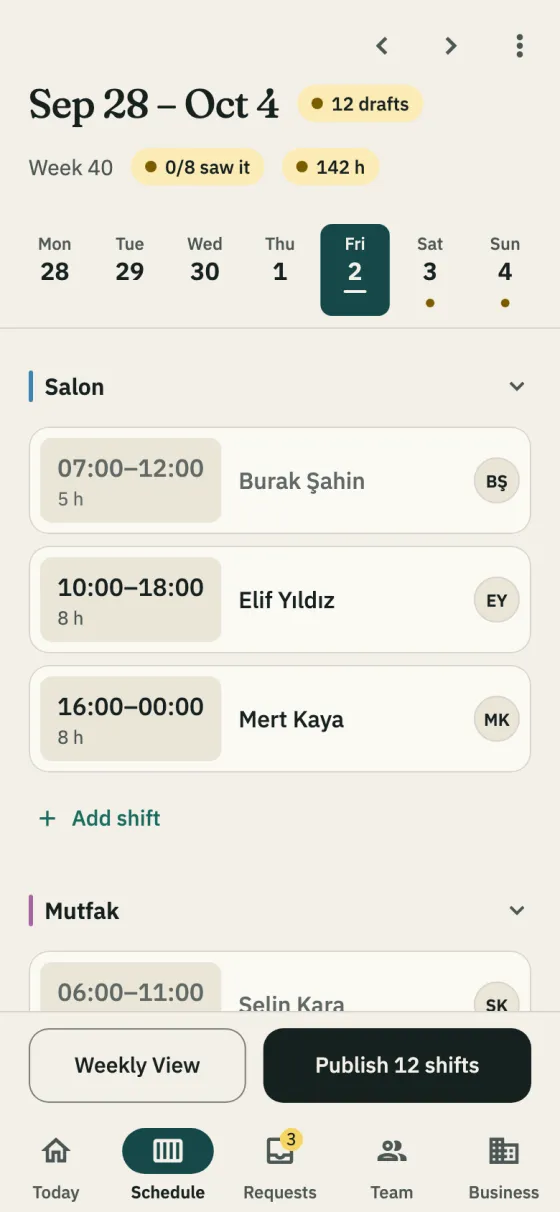
Making the schedule in Excel, posting a photo of it to the group, then redoing it when the “I can’t make Friday” messages come in: it is the same job every week. In Shiftrio you build the schedule by department, auto-fill it with the people who fit and publish it in one tap; everyone sees their own shifts on their phone.
Free for up to 10 people · Every feature on every plan
A template is the week’s recurring need: which department, what times, which days, how many people. Apply it to a week and its unassigned shifts appear; copying last week is one tap too.
In the app: Business → Templates
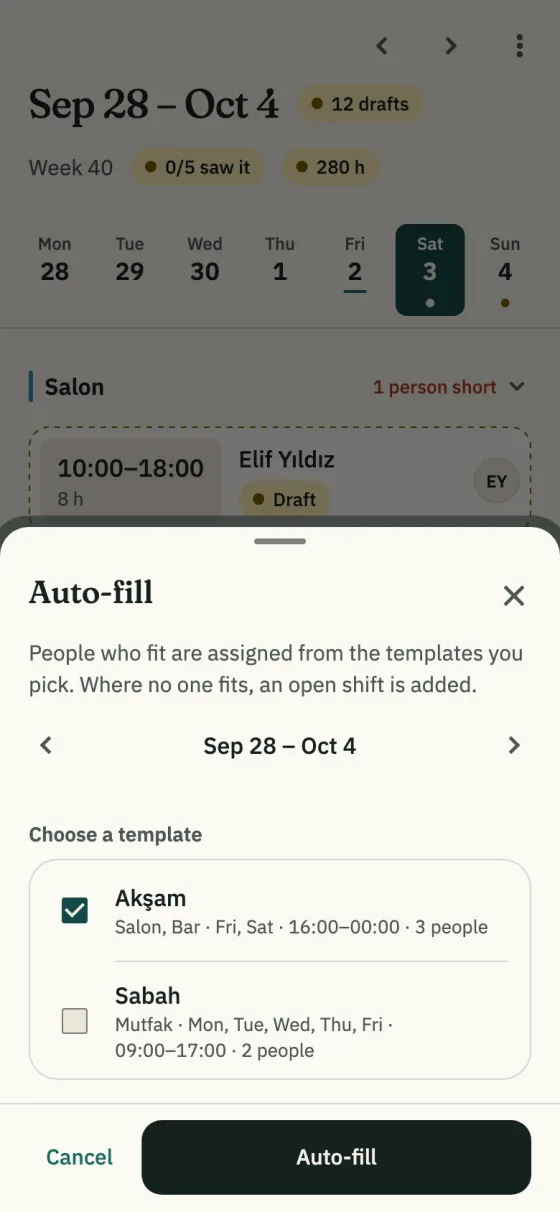
Someone is put on a shift only if they carry the department’s tag, aren’t on leave then, didn’t mark themselves unavailable then, stay within their weekly max and have no overlapping shift in this branch; auto-fill also never leaves under 11 hours’ rest between shifts or over 11 hours’ work in a day. The eligible person furthest below their minimum hours comes first. The result is a draft; change anything before you publish.
In the app: Schedule → ⋮ → Auto-fill
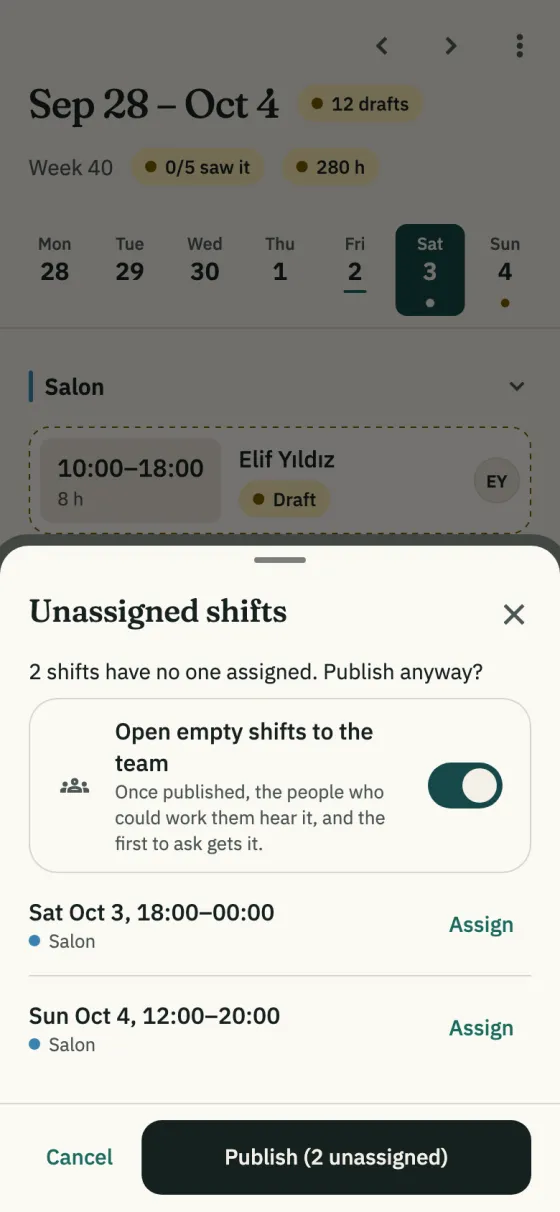
Staff don’t see drafts; when you publish, everyone with a shift gets one notification. If shifts are left with nobody on them, you’re asked before publishing and can open them to the team as you publish. When a published shift changes, the person on it is told what changed.
In the app: Schedule → Publish N shifts
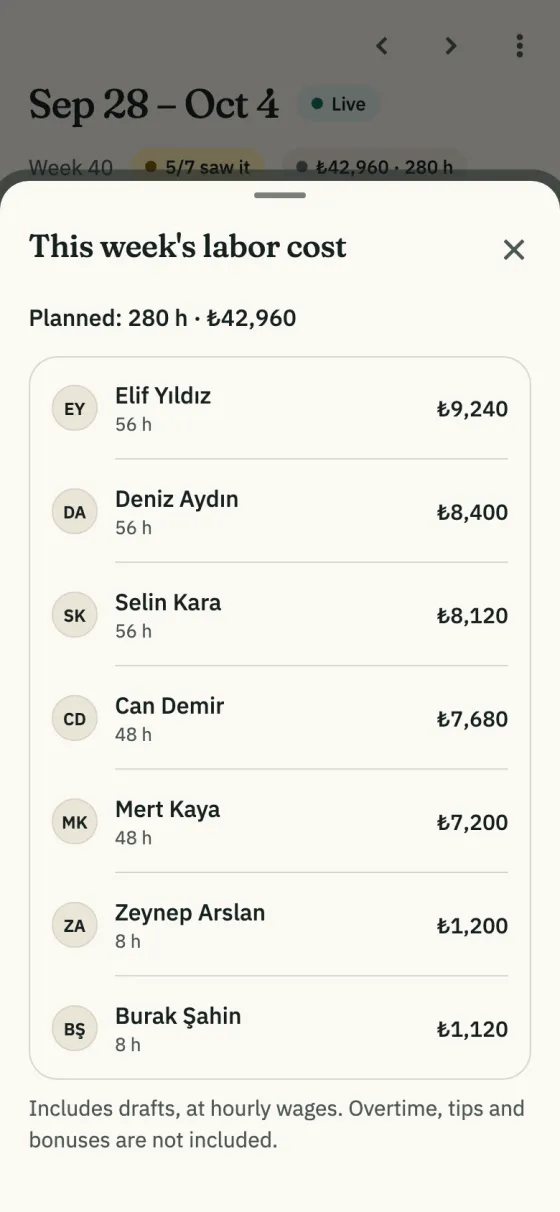
The amount in the schedule header is the week’s estimated labor cost; tap it for hours and cost per person. It uses hourly wages and includes drafts; overtime, tips and bonuses aren’t included.
In the app: Schedule → the amount in the header
Enter departments such as floor, kitchen and bar and the branch hours, and invite your team on WhatsApp. You can schedule someone who hasn’t joined yet.
From a template, with auto-fill or by copying last week. When you add or edit a shift, Shiftrio checks overlaps, leave, availability and branch hours; before publishing it asks again about shifts that clash with leave.
Everyone with a shift is notified. You can also send the schedule as an image to your WhatsApp group.
Tap “N/M saw it” in the header and remind the others.
Getting started
Download the app, add your business and invite your team on WhatsApp. No computer needed to set it up.
Free for up to 10 employees. Every feature on every plan. iPhone and Android.