
Send an announcement, see who saw it
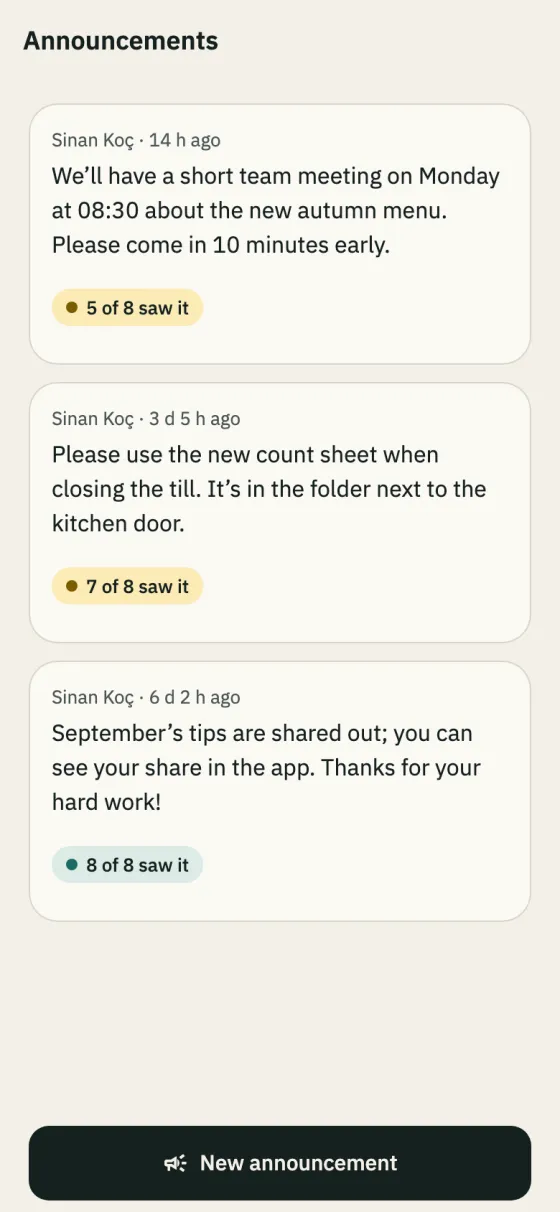
Everyone in the branch is notified and the announcement appears on their Home. Each one shows “N of M saw it”; tap it to see who.
In the app: Business → Announcements
Team communication
An announcement in the WhatsApp group is gone ten messages later, and you can’t tell who read it. In Shiftrio announcements and the schedule go straight to the people concerned, you see who saw them, and an empty shift fills without calling around.
Free for up to 10 people · Every feature on every plan
Everyone in the branch is notified and the announcement appears on their Home. Each one shows “N of M saw it”; tap it to see who.
In the app: Business → Announcements
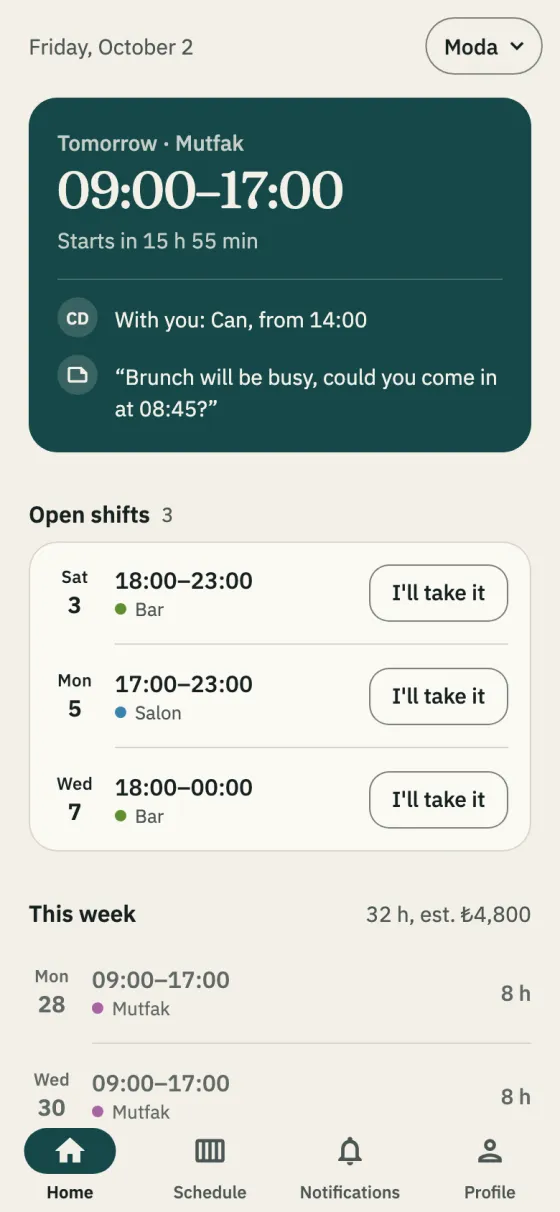
When you open the week’s published shifts with nobody on them to the team, the people who fit are notified; the first to tap I’ll take it gets the shift, and you’re told. It goes to employees with no other shift then, not on leave, and, if the department has tags, carrying one.
In the app: Schedule → ⋮ → Open empty shifts to the team
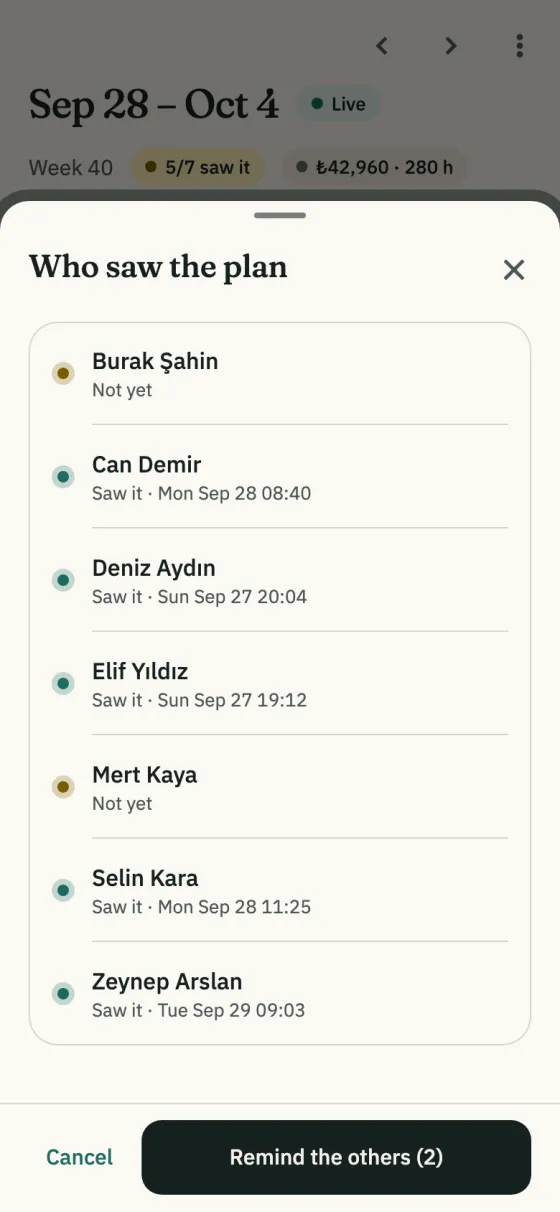
It lists who among the people on published shifts has opened the schedule, and when. Remind the others notifies only those who haven’t seen it.
In the app: Schedule → “N/M saw it” in the header
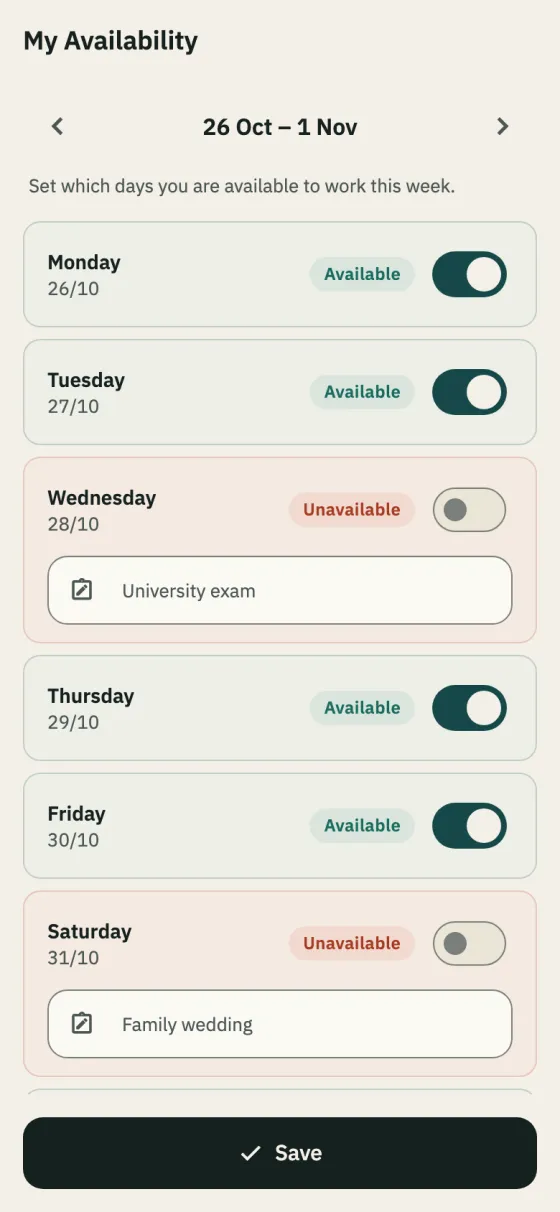
Staff enter the days they can’t work, with a note; you see those days when you add shifts, and auto-fill skips them. Ask for availability asks only those who haven’t entered it.
In the app: Schedule → ⋮ → Ask for availability
Send the invite link on WhatsApp or show the QR code; each person sets it up on their own phone.
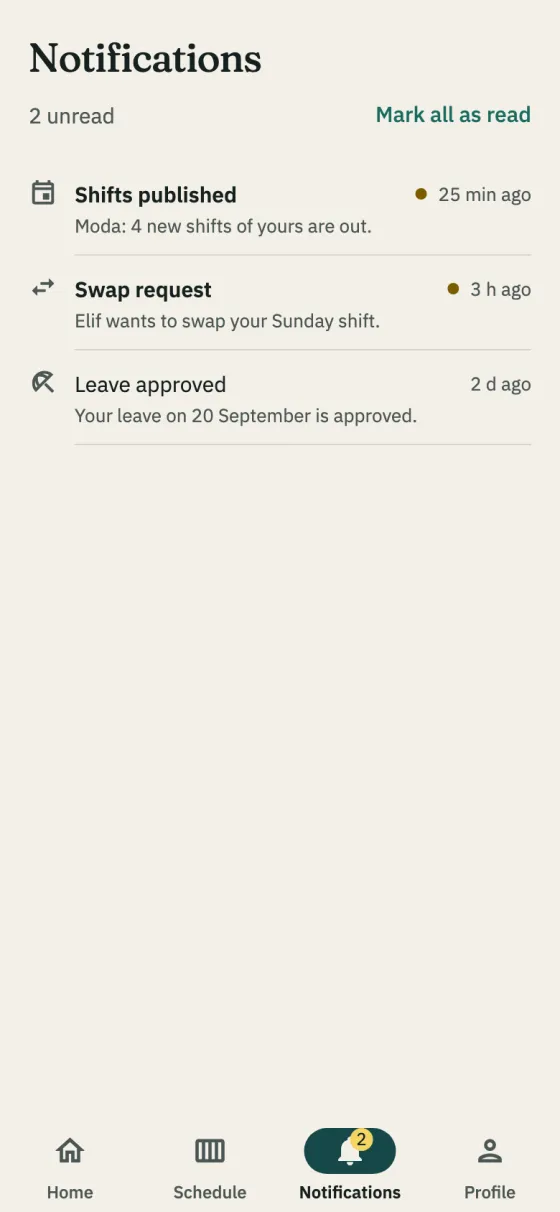
Everyone with a shift gets one notification; when a published shift changes, only the person on it.
Send a message of up to 500 characters from Business → Announcements.
Announcements show “N of M saw it” and the schedule “N/M saw it”; remind those who haven’t opened the schedule.
Getting started
Download the app, add your business and invite your team on WhatsApp. No computer needed to set it up.
Free for up to 10 employees. Every feature on every plan. iPhone and Android.