Turkish labor law

See the legal limits before you publish the schedule.

In a busy week it is easy to notice only after publishing that someone went past 45 hours or didn’t rest long enough between two shifts. Shiftrio checks these limits as you save and publish shifts and names the article of law for each one it finds. The warnings are for companies in Turkey and are not legal advice.

Free for up to 10 people · Every feature on every plan

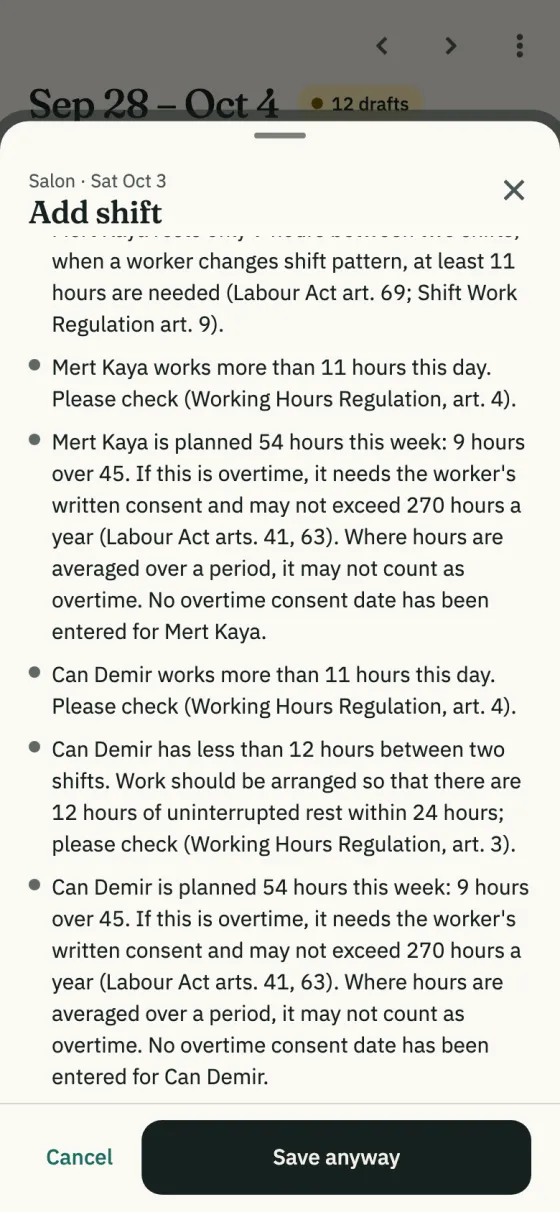
The Add shift sheet: legal warnings before saving, for rest under 11 hours, more than 11 hours in a day and more than 45 hours a week, with articles of law

What it does

It warns as you publish, and never blocks

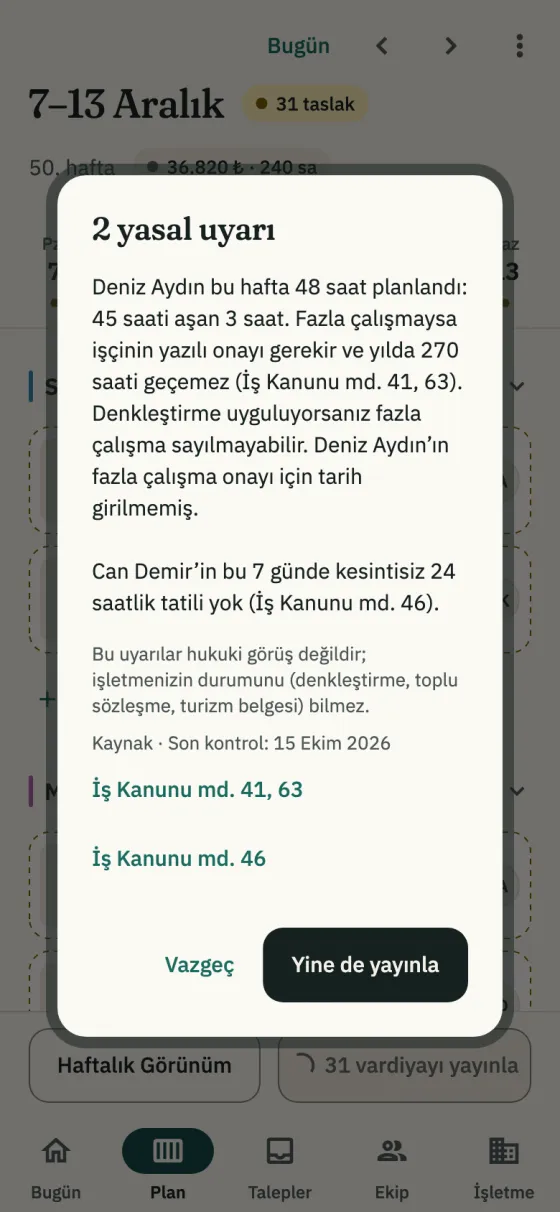
You’re warned about 11 hours a day, rest between shifts, night work, 45 hours a week and the weekly day off, and in the publish dialog each warning’s source opens with a tap. Warnings don’t stop you saving or publishing. You can turn off a warning you don’t want; who turned it off, and when, is recorded.

In the app: Schedule → Publish N shifts

The 2 legal warnings dialog, shown in Turkish: warnings for more than 45 hours and no weekly day off, the disclaimer and links to the Labour Act’s articles

Time over 45 hours a week

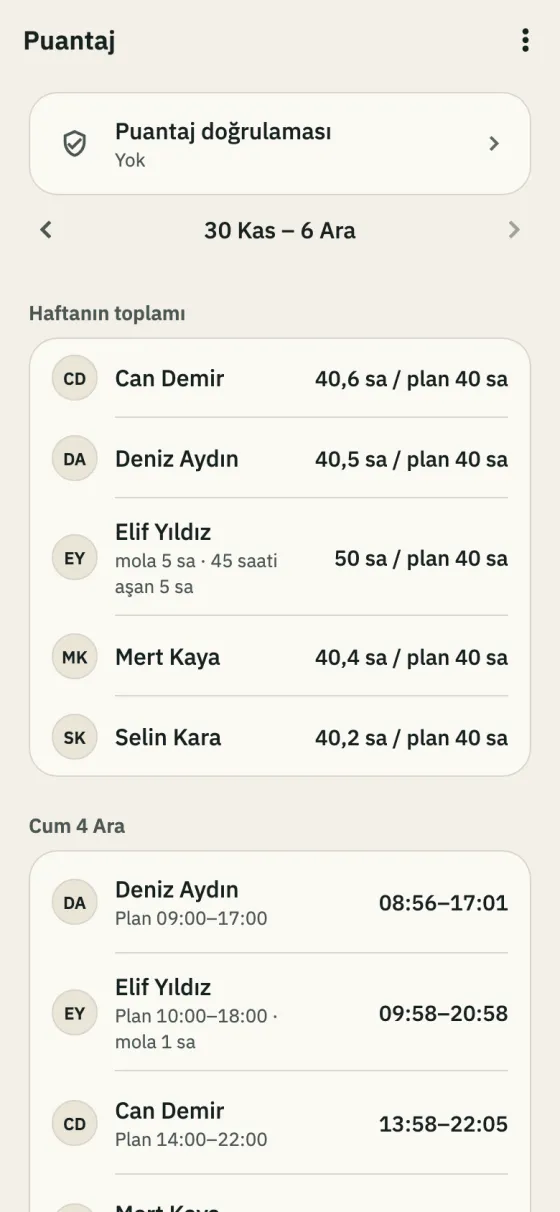
If someone’s week goes past 45 hours, other branches included, the Time clock’s weekly summary and, with the time clock on, the monthly timesheet show it, and the yearly total is kept. You can enter the date the overtime consent was received on the person’s card. If you average hours over a period, say so in settings.

In the app: Business → Time clock

The Time clock screen for 30 November – 6 December, shown in Turkish: Elif Yıldız at 50 hours against 40 planned, 5 hours over 45

Annual leave by the legal minimum

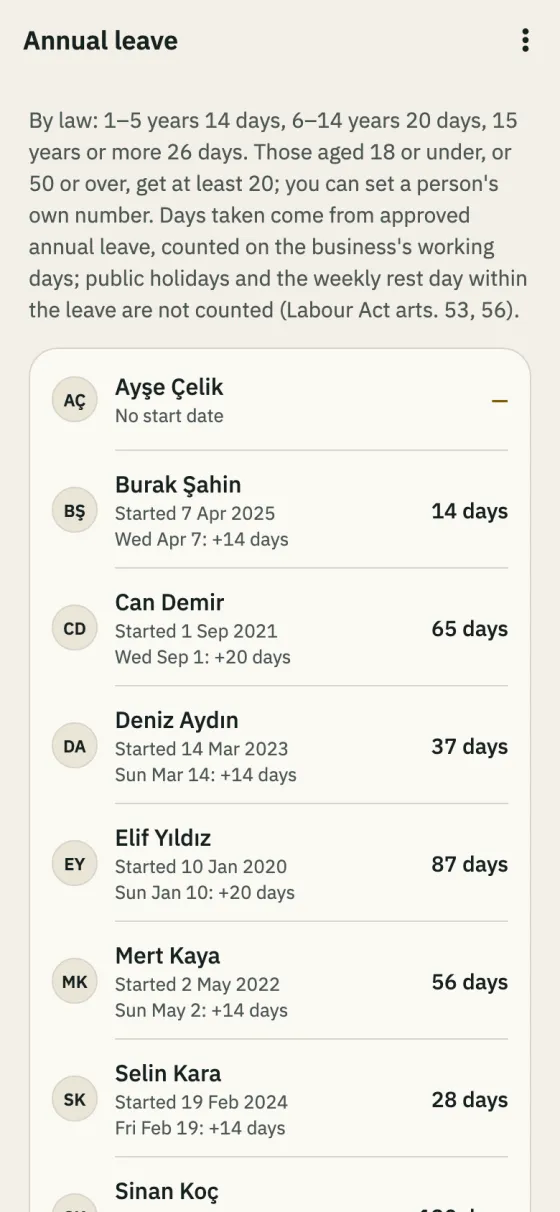
Entitlement follows the service-year minimums of Article 53 of Turkish Labour Law No. 4857 (14, 20 or 26 days) and is added on each work anniversary; for people aged 18 or under or 50 or over, set their own number. Approved leave is taken on working days; full-day public holidays and the weekly day off aren’t (half-day eves are).

In the app: Business → Annual leave

The Annual leave screen: each person’s start date, next entitlement and days left

Public holidays on the schedule

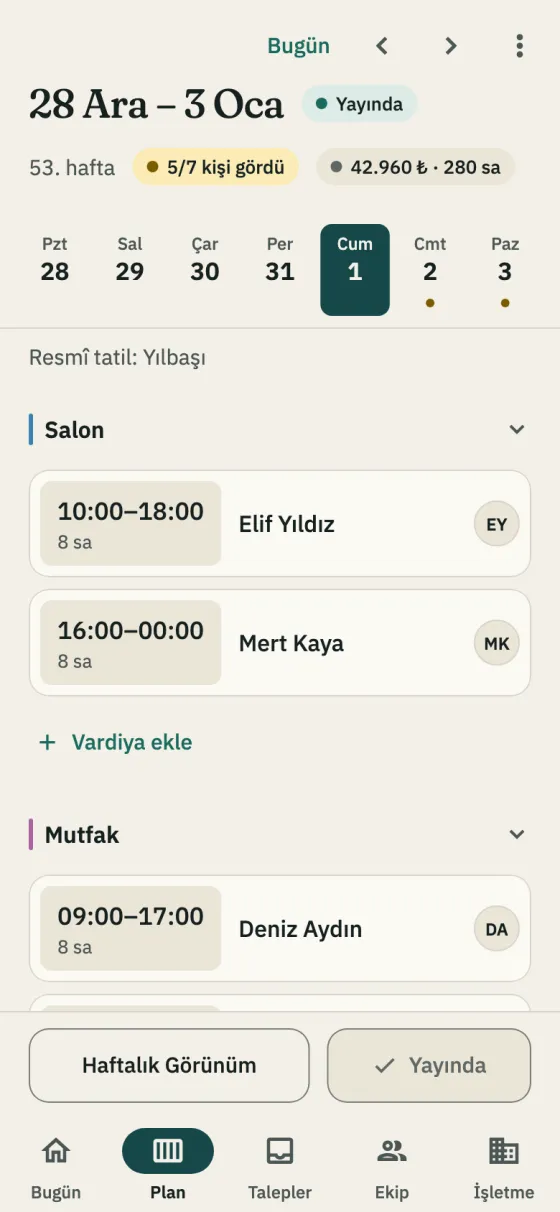
Public holidays and their eves show on the schedule, so you don’t look up which day is a holiday while scheduling. With the time clock on, the monthly timesheet has a column for days worked on a public holiday.

In the app: Schedule

The schedule for 28 December – 3 January, shown in Turkish: the New Year’s Day public holiday line on 1 January

How it works

  1. Pick the country

    If the company’s country is Turkey in its settings, the legal warnings and public holidays show; turn on annual leave tracking under Features.

  2. Say how your business works

    If you hold a tourism certificate, run a certified accommodation or average hours over a period, set it under Company settings → Legal warnings, where each branch has its own certificates; the warnings follow.

  3. Make the schedule

    As you save and publish, any limit that is passed is named with its article of law.

  4. Check at month-end

    With the time clock on, the Monthly time sheet on the Time clock screen has columns for the time over 45 hours and the days worked on a public holiday.

Read on

Step by step in the guide

Questions

Which legal limits does it check?
More than 11 net hours in a day (Working Hours Regulation art. 4), less than 12 hours between two shifts, with a strong warning under 11 (Working Hours Regulation art. 3; Labour Act art. 69; Shift Work Regulation art. 9), night work over 7.5 hours (Labour Act art. 69), more than 45 hours a week (Labour Act arts. 41, 63), no 24 hours off in a row in 7 days (Labour Act art. 46), 270 hours a year (Labour Act art. 41), and a break recorded on the time clock that is shorter than the legal minimum (Labour Act art. 68).
Do the warnings stop me publishing?
No. Warnings don’t stop you saving or publishing. Turning off a warning doesn’t lift the legal obligation; the employer is responsible for following the rule. Who turned it off, and when, is recorded.
I average hours over a period. What then?
Turn on “Hours are averaged over a period” in the company settings. While it is on, the 45-hour weekly warning doesn’t show; the time over 45 hours is still counted, but the 270-hour counter isn’t shown. Where hours are averaged, the time over 45 hours may not count as overtime (Labour Act art. 41).
Is it different for tourism and accommodation businesses?
Yes. With a tourism certificate, the night warning says night work over 7.5 hours needs the employee’s written consent. In a certified accommodation, the weekly rest warning says the day off can be given within the next 4 days with the employee’s written request or consent.
Does this apply to a company outside Turkey?
No. The country is set for the company; the Turkey-specific warnings, holidays and annual leave only appear for companies whose country is Turkey.
Are these warnings legal advice?
No. The warnings are not legal advice and don’t know your business’s situation (averaging, a collective agreement, a tourism certificate). When in doubt, ask a lawyer or your accountant.

Getting started

Free for up to 10 employees. Legal warnings included.

Download the app, add your business and invite your team on WhatsApp. No computer needed to set it up.

Free for up to 10 employees. Every feature on every plan. iPhone and Android.